Get started
Sign in, join,
and go.
You'll be up and running in a few minutes. Create an account, join or set up a band, and everyone plays from the same catalog. Here's the lay of the land.
Step one
Create your account.
Open the app or the web app and sign in with your email and a password. New here? Tap Register to make an account; forgot your password? Forgot password? sends you a reset. One account follows you across the phone apps and the web.
- 1Register with your email address and a password.
- 2Sign in — the same login works everywhere.
- 3Join a band — ask your band admin to add you, or create your own.
Sign in to your bands
No account yet? Register
Forgot password?
One account, many bands
Play in more than one band? No problem.
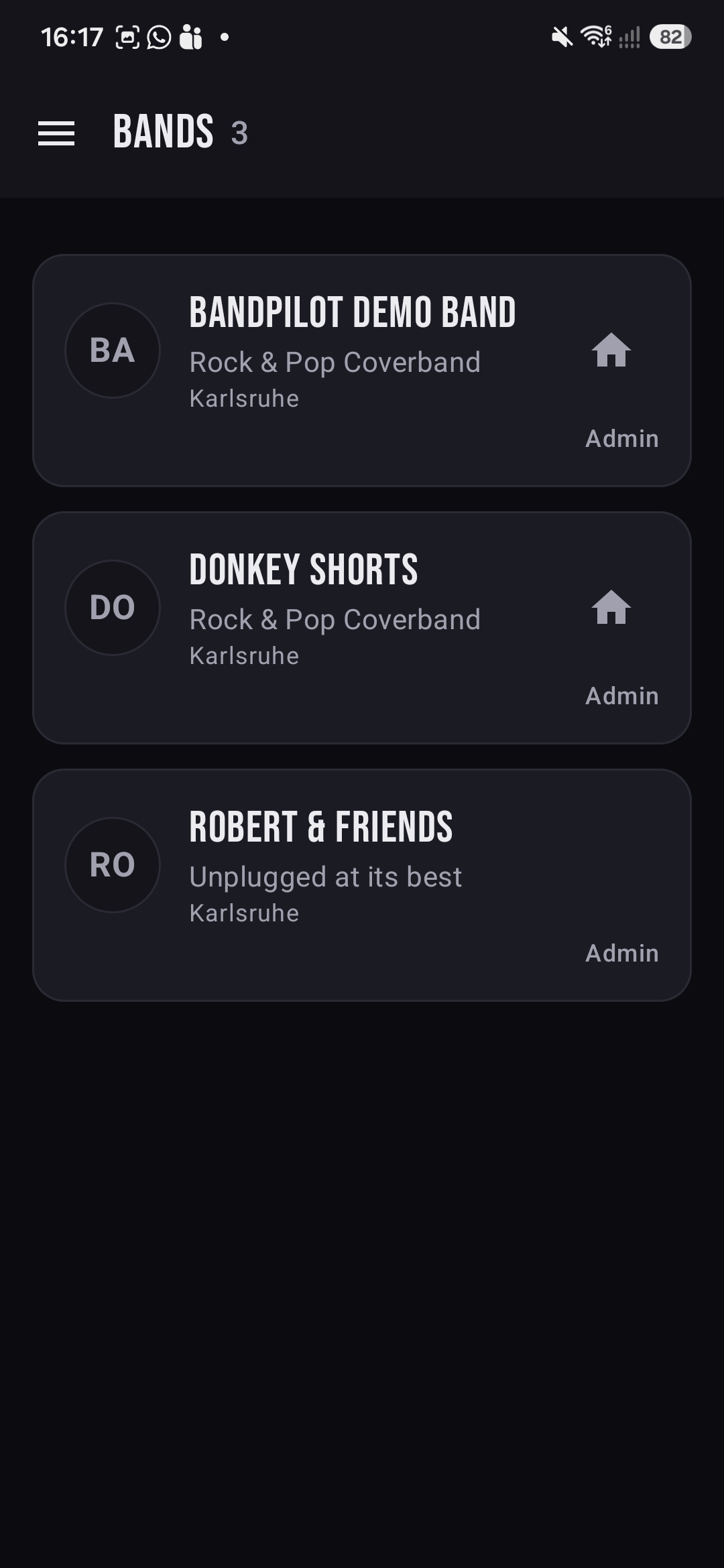
The Bands screen lists every band you belong to, each with its style, home town and your role. The home icon marks your default band; tap any card to jump into its songs and rehearsals. Your role — Admin or member — is shown on each card.
- ♪Switch bands anytime from the Bands list or the side menu.
- ⌂Default band — the home icon opens first when you launch the app.
- ★Your role per band decides what you can change.
The side menu
Everything is one tap from here.
The menu (☰) is home base. Up top you switch bands; under the current band you jump to Rehearsal and Songs; and there's a shortcut to open BandPilot Web for the big-screen admin view. Your account, an About page and Logout sit at the bottom.
Tablet or PC recommended for the web app — the menu says so right next to the link, because that's where admin work is comfiest.
Tablet or PC recommended.
Who does what
Admin vs. member.
Everyone in a band sees the same songs and rehearsals. The difference is what you can change — one person keeps things tidy so the rest can just play.
Show up and play
Browse the catalog, rate and veto songs, use the practice player and check the next rehearsal — all from your phone.
- Rate songs and cast a veto
- Practise with the A/B loop player
- See setlists and who's absent
Keep the band organised
Everything a member can do, plus curate the catalog and run rehearsals. Comfiest in the web app on a bigger screen.
- Add songs; set key, BPM, status, flags
- Build and reorder rehearsal setlists
- Mark absences and email the band
The cockpit
Admin work? Reach for the web app.
The mobile apps do everything, but bulk editing — adding a stack of songs, wiring up media links, building a long set — is simply faster with a keyboard and a big screen. The web app shares the exact same catalog and rehearsals, live. Open it from the side menu or head straight there.
Best on a tablet or PC · Android & iOS apps coming soon
BandPilot Web
The recommended workspace for band admins — the same data as the apps, with room to move.
Live nowThat's the tour.
Dive into the features, or open the web app and set your band up now.